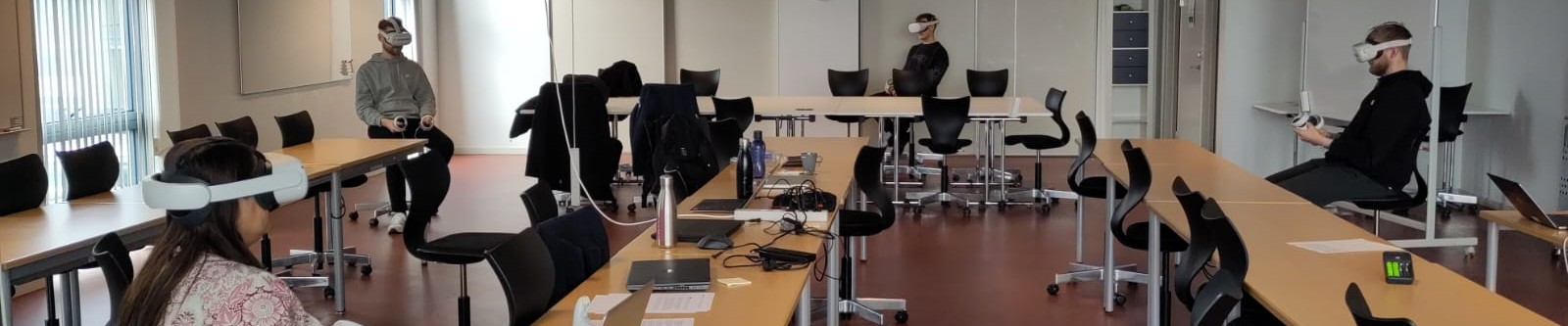
The Scrum Simulator (ScrumSim) is an interactive multiplayer Virtual Reality (VR) simulation that places the participant in a virtual collaboration environment, in order to train them in the use of the project management methodology Scrum. In VR, the participants as a team, with the assistance of two avatars, perform intuitive tasks in ‘sprints’, cooperate, discuss, interact with the environment and receive feedback on their performance and tasks.
To assist the teaching of the Scrum Framework in an engaging, motivating, hands-on and collaborative way.
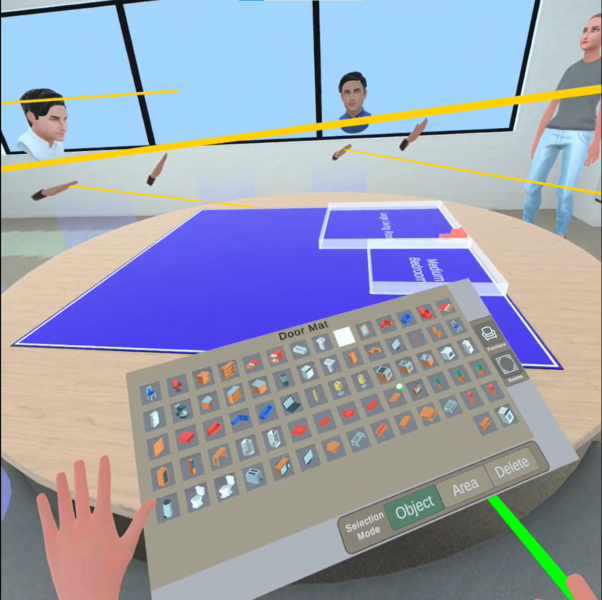
The scrum team’s task was to build the interior and furnish a virtual apartment for the stakeholders, John and Mary. On the screenshot a team member's workspace is shown.
Screenshot: Lasse Lui Frandsen
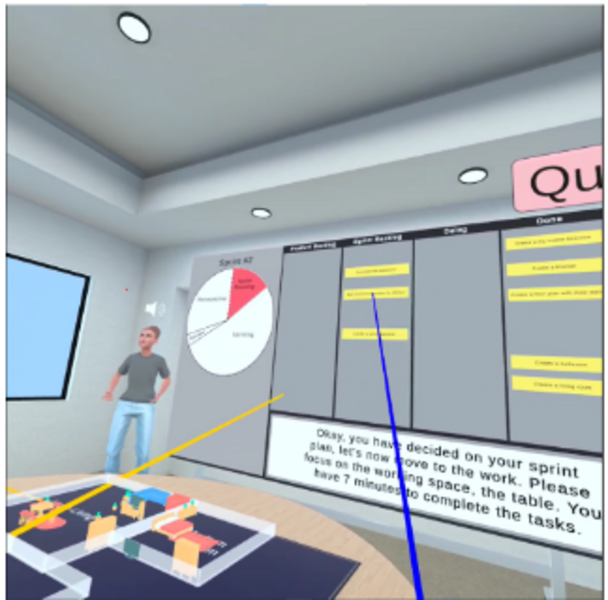
The task was divided into 'sprints' and put onto the kanban under 'backlog', 'doing' and 'done'.
Screenshot: Lasse Lui Frandsen
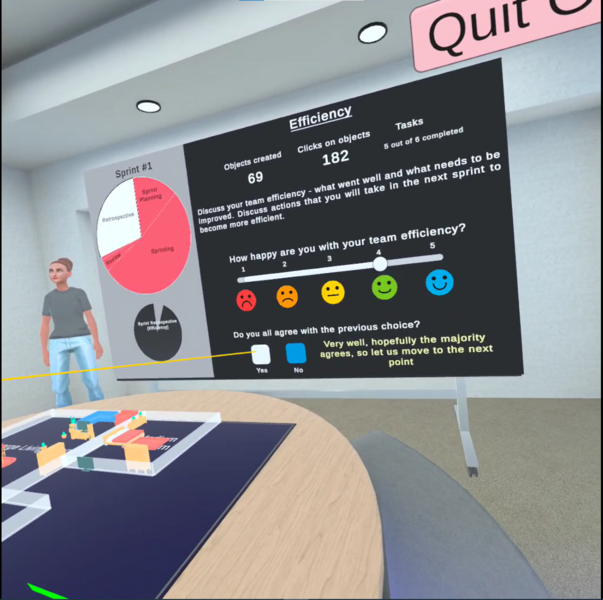
The product owner facilitated the process and managed the kanban board and coached the development team.
Screenshot: Lasse Lui Frandsen
Assisting teaching of the Scrum Framework.
Motivate students to collaborate by using Scrum.
THE PROCESS | ||||
Preperation |
| |||
In class |
| |||
RESSOURCES FOR STUDENTS | SUPPORT FOR STUDENTS |
|
|
The activity was well received. The students enjoyed trying a new way of learning the subjects.
Most of the students did not have experience using a VR headset and found the novelty fun and engaging.
Problems with multi-user application meant that if one user lost connection, they could not reconnect mid-session. This could result in loss of data, although it rarely happened.
We used the VR headset Oculus Quest 2 without the elite headstraps. These are a bit heavy and not well-balanced without the additional headstrap, which meant that 45 minutes of use was straining for some students.
Consider the reason for including VR in teaching. Is it to engage and motivate students, is it to include a subject or teaching method otherwise not possible?
Do not make the teaching activity too long. VR leads to a higher cognitive load than other media and the headsets are not comfortable to wear for too long. If the students need to wear a headset for more than 45 minutes, consider which headset it is and whether additional equipment and make it better (e.g., the Elite Headstrap for the Oculus Quest 2).
| Educators | Konstantinos Koumaditis Maja Due Kadenic Lasse Lui Frandsen |
| Faculty and department | BSS, Department of Business Development and Technology |
| Degree programme |
|
| Level of study | Master’s Degree |
| Course/subject |
|
| Number of students |
|
| Extent | Activity |
| Teaching format | Small Class Teaching |
| Implementation | Autumn 2022 |